
7 Ways to Use Stock Photos on Instagram for Your Business
Creating content for Instagram shouldn't require a new photoshoot every time you want to post.
Maybe you already know what you want to say. You have the tip, story, promotion, or idea ready to go…but then comes the question:
What am I supposed to post with it?
That's where stock photos can make creating content SO much easier.
Instead of digging through your camera roll, setting up another photoshoot, or creating every Instagram graphic from a blank Canva page, you can use stock photos as part of your everyday content creation process.
And that stock photo can do a whole lot more than simply fill an Instagram square.
But first…Why Use Stock Photos for Instagram?
One of the biggest benefits of stock photography isn't just having pretty photos to post.
It's having visual content ready when you need it.
Think about how many different visuals you might need in a normal month of marketing your business: educational posts, promotional graphics, carousel covers, Stories, quotes, launches, blog promotions…the list goes on.
Creating every single visual yourself can quickly become another full-time job.
Building a library of stock photos that fit your brand gives you something to pull from whenever it's time to create.
The trick is knowing how to use those photos beyond simply downloading one and posting it to your feed.
So, whether you're a coach, virtual assistant, social media manager, designer, digital product creator, or other service-based business owner, here are 7 practical ways to use stock photos on Instagram to create beautifully branded content faster.
7 Ways to Use Stock Photos on Instagram
1. Use Stock Photos as Backgrounds for Educational Posts
Have a tip you want to share? Start with a stock photo instead of a blank Canva page.
Photos with negative space are especially useful because you can easily add a headline or short piece of text without making your graphic feel cluttered.
For example, a website designer could turn a simple laptop stock photo into a post that says:
“3 Things Your Homepage Needs to Convert Visitors Into Clients”
A virtual assistant might use a workspace photo for:
“5 Tasks You Should Stop Doing Yourself”
And a coach could use a lifestyle image for:
“The Mindset Shift That Changed How I Run My Business.”
One simple photo gives you the starting point, you just add your expertise.
QUICK TIP: Look for stock photos with blank walls, desktops, notebooks, phone screens, laptops, or other open spaces where text can easily be added.
2. Turn Stock Photos Into Branded Quote Graphics
Quotes don't always have to live on a plain background.
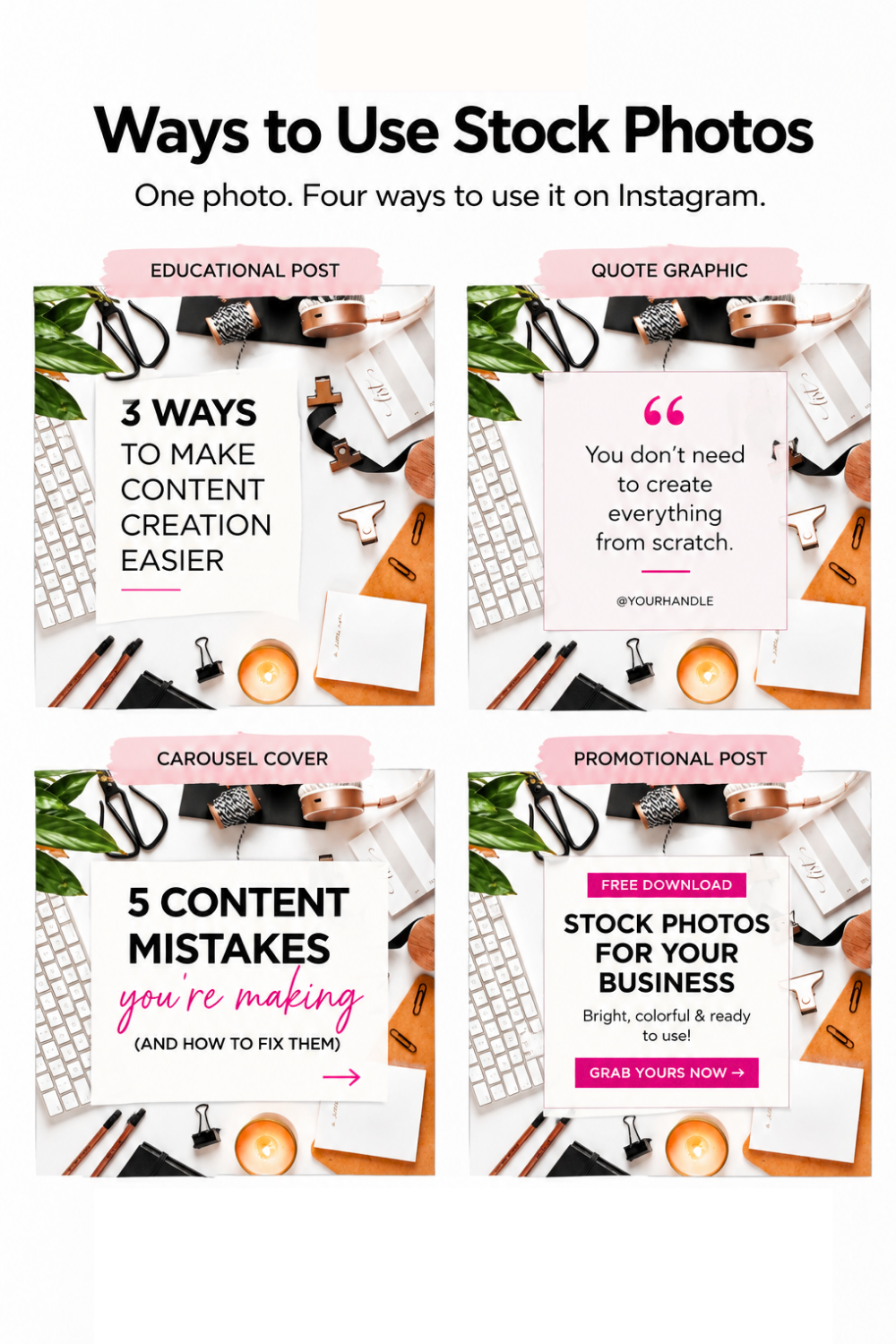
Adding a stock photo behind your quote can give a simple graphic more personality while still keeping it consistent with the rest of your brand.
Choose an image that complements the message, add your brand fonts and colors, and you have a custom-looking graphic without designing everything from scratch.
You can use this for:
Inspirational quotes
Your own original quotes
Short reminders
Client testimonials
Business advice
Statements your audience relates to
And remember you don't have to use the entire photo.
Crop it. Zoom in. Add an overlay. Use only part of the image.
A few small changes can make the same stock photo feel completely different.
3. Use Lifestyle Stock Photos to Support Your Stories
One of my favorite things about stock photography is that the photo doesn't always have to be the story but it can help you tell the story.
Maybe you're writing a caption about planning your week, but you didn't photograph yourself sitting at your desk that morning.
Use a workspace image.
Talking about slowing down after a busy season in your business?
Use a cozy coffee, journaling, or lifestyle photo.
Sharing something you learned while working from a coffee shop?
You don't necessarily need a picture from that exact coffee shop.
Choose imagery that supports the feeling or context of what you're talking about.
The key here is authenticity. You're not trying to pretend the person in the stock photo is you. You're using visual storytelling to complement the message you're already sharing.
4. Use Stock Photos to Promote Your Offers
Stock photos are also one of my favorite ways to make promotional content feel more interesting.
You can use them to promote your:
Services
Digital products
Freebies
Courses
Memberships
Blog posts
Email list
Workshops
For example, use a laptop mockup to showcase your website, a phone mockup to show a digital download, or a styled desktop photo to showcase pages from your workbook.
You can also choose an image with negative space and simply add your offer's headline and a call to action.
Now you've created promotional content without needing an entirely new set of product photos.
And if you're someone who avoids promoting your offers because you feel like you've already used the same graphics 500 times—this is an easy way to create some variety.
5. Create Eye-Catching Instagram Carousel Covers
Your stock photos don't have to be the entire post.
Sometimes they just need to get someone interested enough to swipe.
Try using a stock photo as the cover of your next educational carousel.
Start with a photo that fits the topic, add a strong headline using your brand fonts and colors, and then use the remaining slides to teach.
For example:
“5 Signs Your Website Is Confusing Potential Clients”
“What I Wish I Knew Before Starting My Business”
“4 Ways to Make Content Creation Easier This Week”
Using photography on your cover can break up graphic-heavy content while still giving your Instagram content a consistent, branded look.
6. Mix Stock Photos With Your Own Brand Photos
Stock photography doesn't have to replace your own photos.
Actually, I think it works best when you use both.
Your content library might include:
Personal brand photos + stock photos + graphics + screenshots + product images + videos
Your personal photos allow your audience to see you, while stock photography helps fill the gaps between photoshoots and gives you more flexibility when creating.
Instead of asking:
“Should I use stock photos OR my own photos?”
Think:
“How can I build a library of visuals that makes creating content easier?”
That's the goal.
When you have a collection of go-to brand photos—both personal and stock—you aren't searching for something to post every time you open Canva.
You already have options waiting for you.
7. Customize Stock Photos to Fit Your Brand
Here's where you get to make those photos feel like you.
You don't need complicated editing skills either.
You can:
Crop the photo differently
Add your brand colors
Add text
Add a subtle color overlay
Place your own screenshots into mockups
Add your product or freebie
Use the photo inside one of your branded Canva templates
But here's something else I want you to remember:
You don't have to customize every single stock photo.
The easier option is to start by choosing photos that already complement your visual brand.
If your brand is colorful and bold, look for colorful and bold photography.
If it's soft and minimal, start there.
If you use warm neutrals, choose images with similar tones.
The closer the original photo is to your brand aesthetic, the less editing you'll need to do later.
How to Choose Stock Photos That Fit Your Brand
Before downloading every pretty photo you see, ask yourself a few questions.
Does this fit my visual brand?
Look at the colors, lighting, styling, mood, and overall personality of the image.
Does it make sense for my audience?
Choose images that feel relatable to the people you're trying to reach—not just images you personally think are pretty.
Does my imagery represent the people I'm speaking to?
Representation matters.
Think about the different people who make up your community and be intentional about incorporating imagery featuring different skin tones, hair textures, body types, ages, and backgrounds where appropriate.
Your brand imagery should help your audience feel like there's space for them in your community.
One Stock Photo Can Become Multiple Pieces of Content
This might be my favorite part.
You don't have to download a new stock photo every single time you create something.
Let's say you find one gorgeous workspace photo that fits your brand perfectly.
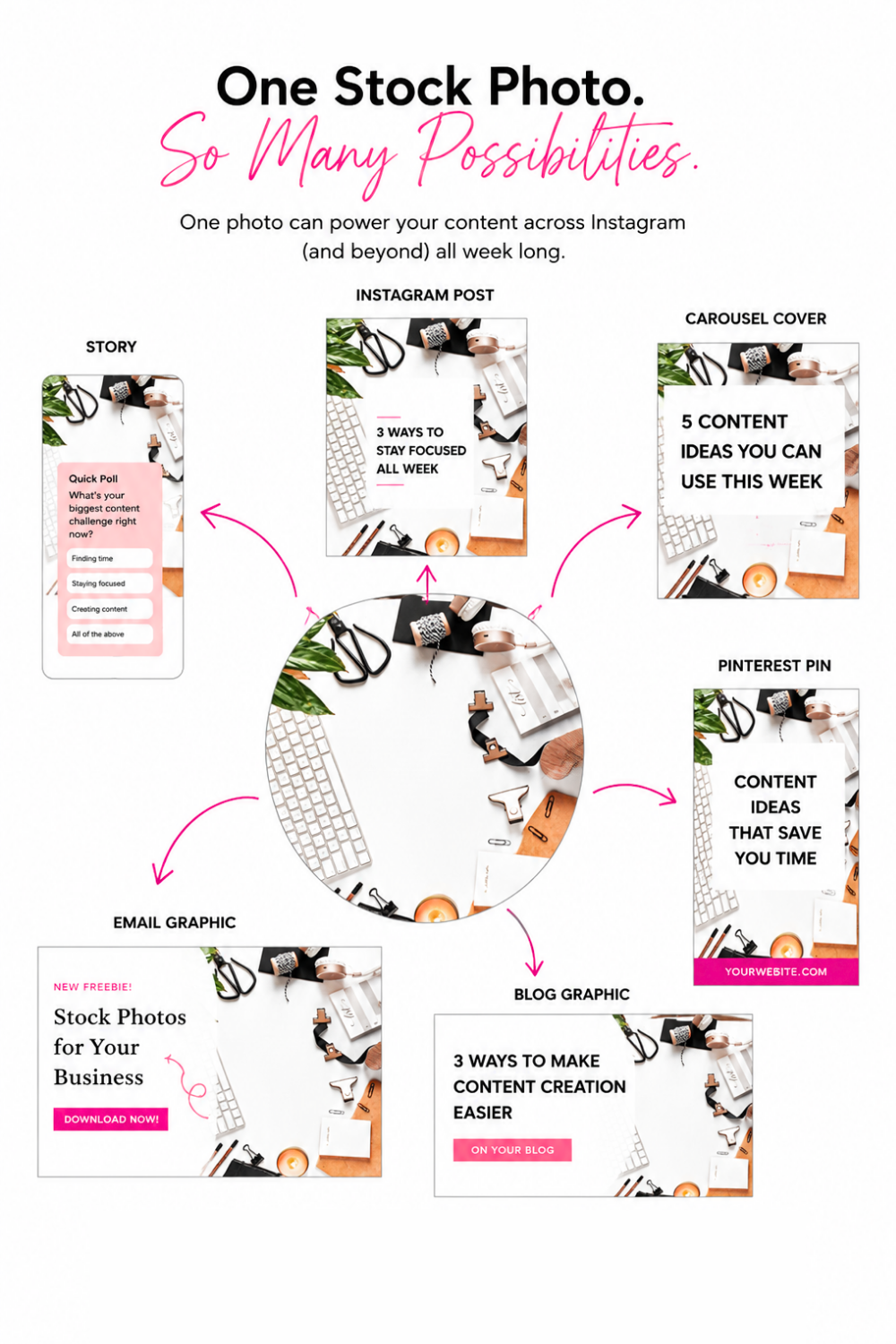
You could turn that ONE photo into:
Instagram Carousel Cover
Crop the image and add your educational hook.Quote Graphic
Add an overlay and your favorite quote.Instagram Story
Resize it and add a poll, question, promotion, or CTA.Promotional Graphic
Add a screenshot of your freebie or product.Pinterest Pin
Resize the design and add a searchable headline.Email Graphic
Use the image to support this week's email.Blog Graphic
Use another crop to create a branded visual for your article.
That's seven pieces of marketing content starting with one photo.
And THAT is how I want you to start thinking about your stock photography.
The goal isn't to constantly find more content. It's to get more mileage out of the content and visuals you already have.
Build Your Go-To Stock Photo Library
Knowing how to use stock photos is one thing.
Actually having the right photos ready when it's time to create is another.
Instead of searching the internet every time you open Canva, start building a go-to collection of brand photos you can use again and again.
Choose versatile photos that work for the types of content you regularly create—workspace photos, lifestyle imagery, mockups, backgrounds, seasonal images, and photos with plenty of negative space.
Then when it's time to create?
You're not starting from scratch.
That's exactly why I created the She Bold Stock Vault.
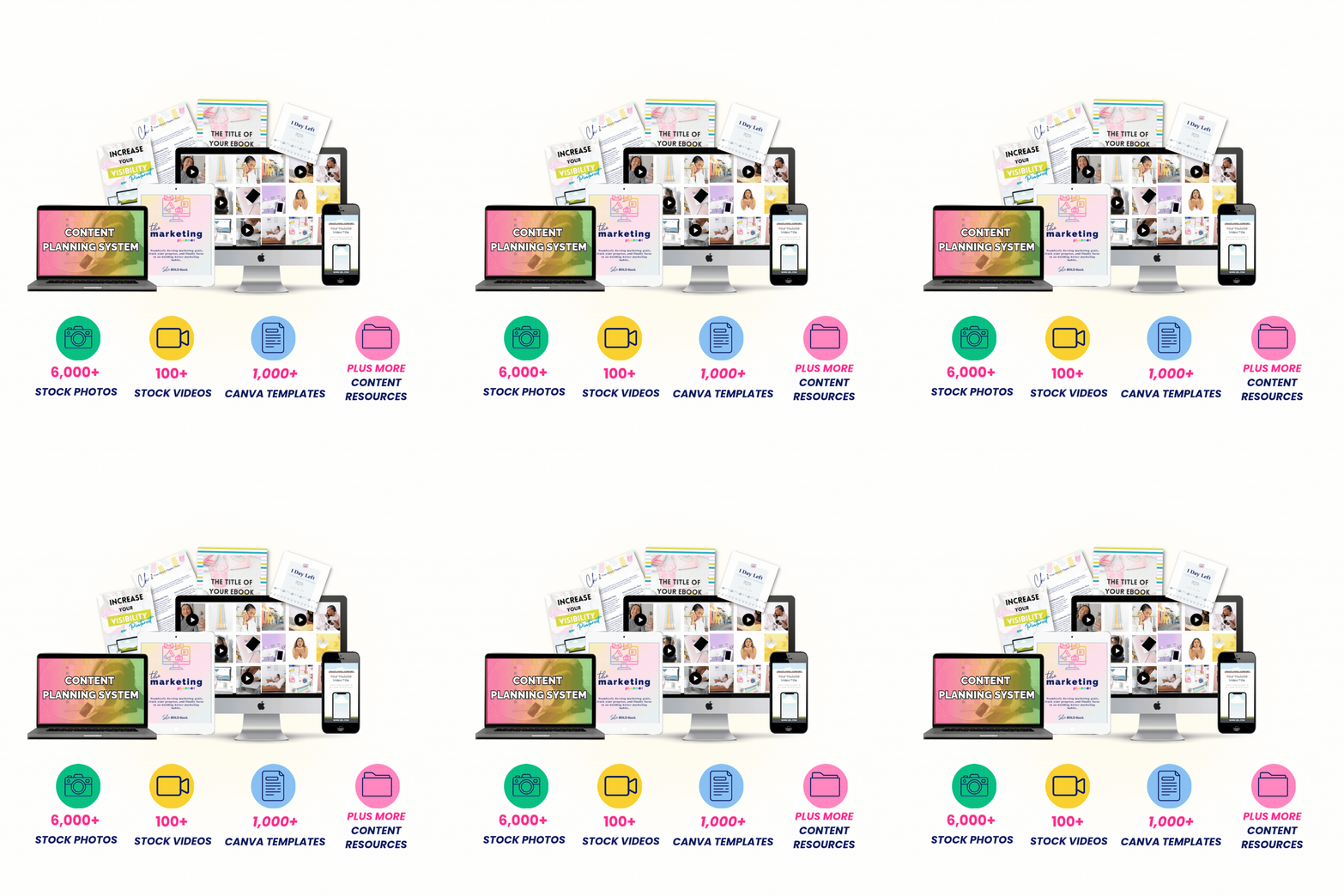
Inside the Vault you'll find thousands of bright, colorful, inclusive stock photos along with stock videos, Canva templates, and content creation resources designed to help service-based business owners create beautifully branded content faster.
And if you aren't sure where to start, head straight to the Starter Kit collection inside the Vault for versatile images you can begin incorporating into your content.
STOP CREATING YOUR CONTENT
FROM SCRATCH.
Ready-to-use visuals and resources to make content creation easier.
Stock Photos Are More Than Something Pretty to Post
Stock photos aren't just placeholders for the days when you don't have something else to share.
Used strategically, they become part of your content creation system.
They can help you educate your audience, tell stories, promote your offers, create branded graphics, and stretch one piece of visual content across multiple platforms.
So the next time you download a stock photo, don't just ask:
“What should I caption this?”
Ask:
“How many ways can I use this?”
Because that stock photo can do a whole lot more than fill an Instagram square.
